Version 1.0.1 · Coming soon
Download StorageSweeper
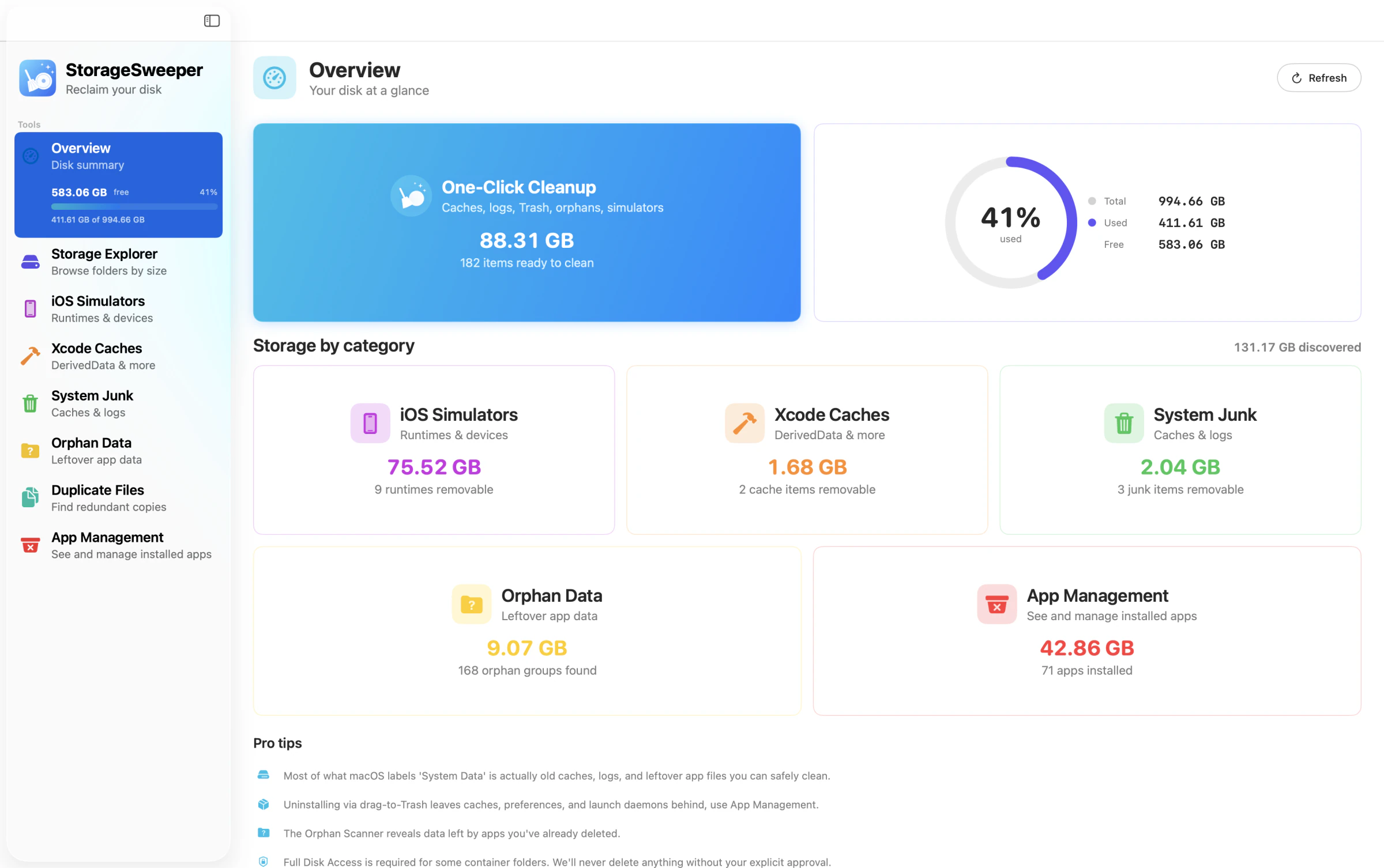
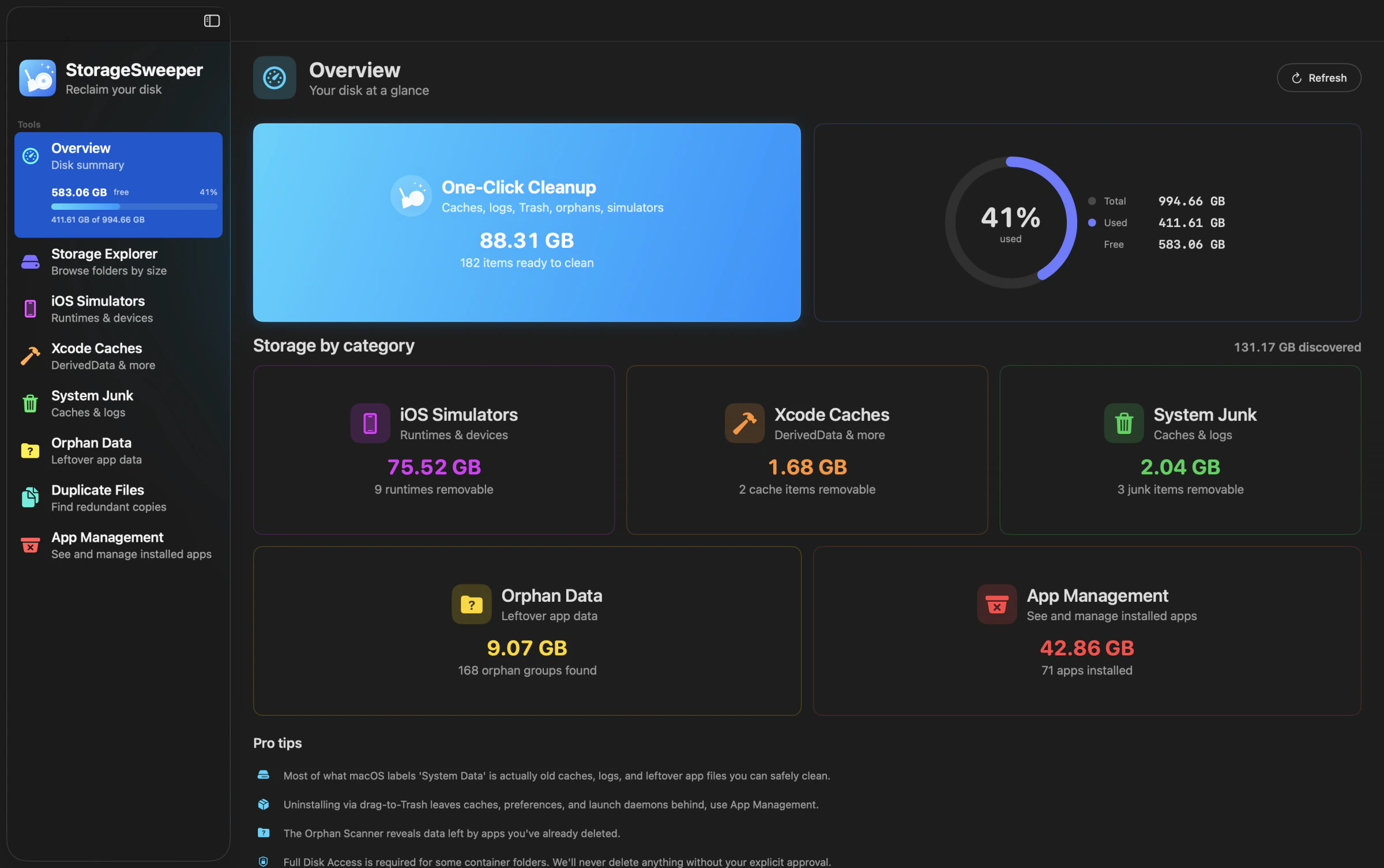
Download the complete app for free. Scan every cleanup tool, see what is using your disk, and unlock unlimited cleanup whenever you are ready.

StorageSweeper for macOS
Download coming soon
Ready for a cleaner Mac.
One universal download for Apple silicon and Intel Macs. No account is required to try it.
The download will be enabled here as soon as final testing is complete.
Installation
From download to first scan in a minute.
-
1
Download
Download the latest notarized StorageSweeper disk image.
-
2
Install
Open the disk image and drag StorageSweeper into Applications.
-
3
Start scanning
Open the app and scan your Mac. A license is not required to explore the results.
Free and Premium
Try every tool before you buy.
The free version shows you where your storage went. Premium removes the limits when you are ready to reclaim it.
Free
$0
- Scan every cleanup tool
- See exactly how much space you can reclaim
- Try one-click cleanup
- Completely uninstall an app
- On-device scanning with no account
Premium
From $29
- Unlimited cleanup across every tool
- Unlimited one-click cleanup
- Unlimited complete app removal
- Perpetual license, no subscription
- Free updates and email support
Licenses
Unlock Premium on every Mac you use.
Pay once and keep it forever. Your license key arrives by email after checkout.
Single Mac
For the Mac you use every day
$29
One-time purchase · For one Mac, forever
- All 8 cleanup tools
- One-click cleanup
- Free updates, forever
- Email support
- 14-day refund window
Save 16% · Most popular
Two Macs
For your main Mac and one more
$58
$49
One-time purchase · For two Macs you own, forever
- Everything in Single Mac
- Activate on up to 2 of your Macs
- Two activations, one per Mac
- Email support
- 14-day refund window
Save 32% · Best value
Family License
For families with a few Macs
$145
$99
One-time purchase · Up to 5 Macs you own, forever
- Everything in Single Mac
- Activate on up to 5 of your Macs
- Five activations, one per Mac
- Priority email support
- 14-day refund window